Conventional Commits 入門ガイド
◢ この記事は以下の言語でも利用できます: English
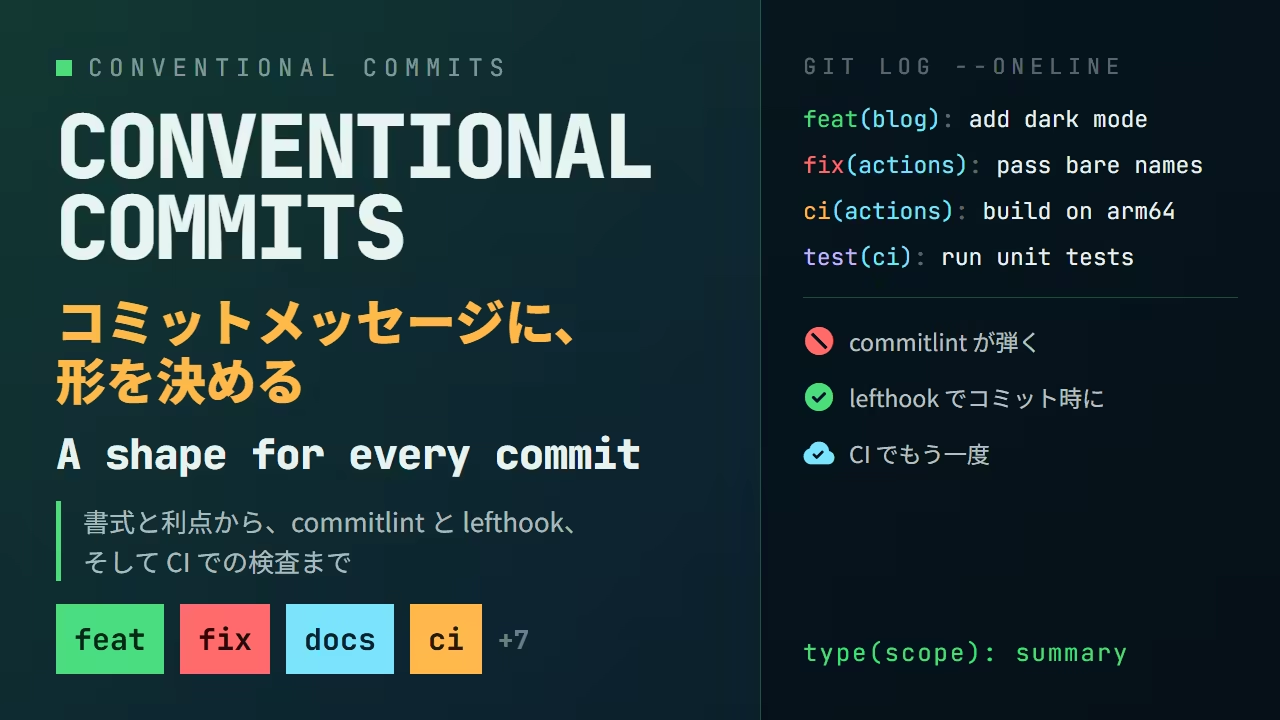
Conventional Commits とは
Conventional Commits は、コミットメッセージの 1 行目の書き方を決めた規約です。中身はとても短くて、1 行目をこの形にする、というだけです。
<type>(<scope>): <summary>このブログのリポジトリも、この規約でコミットを書いています。git log --oneline で最近の 8 件を見ると、こうなっています。
❯ git log --oneline -8
98040a1 build(docker): follow the stable Dockerfile syntax channel (#1260)
a20cc78 test(ci): run the unit tests on every change (#1259)
d700e68 fix(actions): give the cache cleanup the permission it needs (#1257)
8abf64f ci(actions): install bun through mise, as everything else does (#1258)
0d5789d fix(actions): pass bare image names to the reusable workflow (#1256)
347c78c ci(actions): build the image with Docker GitHub Builder (#1255)
6fcfac0 ci(actions): build the Lambda image on a native arm64 runner (#1253)
66a7ae6 style(css): cap a code block at seven tenths of the viewport (#1251)どの行も 種類(範囲): 要約 の形をしています。先頭の build や fix を見れば、中身を読まなくても「何をしたコミットか」の種類が分かり、括弧の中を見れば「どこを触ったか」が分かります。
規約の出自は Angular のコミットメッセージ規約です。Angular チームが自分たちのために決めていた書式を、他のプロジェクトでも使えるように切り出して、仕様として固めたものが Conventional Commits です。現在の仕様は v1.0.0 です。
書式
コミットメッセージ全体は、ヘッダー・本文・フッターの 3 つからなります。必須なのはヘッダーだけです。
<type>(<scope>): <summary>
<空行>
<body>
<空行>
<footer>
type
変更の種類です。仕様が定めているのは feat と fix の 2 つだけで、それ以外は各プロジェクトが決めます。とはいえ、実際には commitlint の config-conventional が持つ次の一覧をそのまま使うプロジェクトが多いです。
| type | 意味 |
|---|---|
feat | 新しい機能 |
fix | バグ修正 |
docs | ドキュメントだけの変更 |
style | 動作に影響しない変更(空白、整形、セミコロン) |
refactor | バグ修正でも機能追加でもないコードの変更 |
perf | 性能を改善する変更 |
test | テストの追加や修正 |
build | ビルドシステムや外部依存に関わる変更 |
ci | CI の設定やスクリプトの変更 |
chore | それ以外の雑務。本番コードの変更を含まない |
revert | 以前のコミットの取り消し |
feat と fix だけが仕様で決まっているのは、後述する SemVer との対応がこの 2 つで決まるからです。
scope
変更した範囲です。省略できます。何を書くかは決まっていなくて、パッケージ名、ディレクトリ名、機能名など、そのプロジェクトで「どこ」と言えば通じる単位を選びます。このブログでは blog、mdx、css、actions、docker などを使っています。
summary
変更の要約です。命令形・現在形で書き、先頭は小文字、末尾にピリオドは付けません。「何をしたか」ではなく「このコミットを適用すると何が起きるか」を書くと、自然に命令形になります。fixed the login button ではなく fix the login button です。
body と footer
本文には「なぜ変えたか」を書きます。何を変えたかは diff を見れば分かるので、diff に書いていないこと、つまり動機と、以前の挙動との比較を書きます。
フッターには、破壊的変更の宣言と、Issue への参照を書きます。BREAKING CHANGE: で始まる行があると、そのコミットは破壊的変更を含むと解釈されます。
feat(api)!: drop the v1 endpoints

BREAKING CHANGE: /v1/* is gone. Move to /v2/*, which returns the same
shape with ids as strings.
type の直後の ! も、破壊的変更の印です。! だけでも BREAKING CHANGE: だけでも成立しますが、! は 1 行目だけを読む人のため、フッターは移行手順を書くためなので、両方書くのが親切です。
利点
履歴が絞り込める
1 行目の形が揃っていると、git log の --grep で種類ごとに履歴を引けます。このブログのリポジトリで、バグ修正だけを引いてみます。
❯ git log --oneline --grep='^fix(' -6
d700e68 fix(actions): give the cache cleanup the permission it needs (#1257)
0d5789d fix(actions): pass bare image names to the reusable workflow (#1256)
45595e5 fix(actions): turn off the colour commitlint writes into the comment (#1247)
a06ac7b fix(blog): place the index panel from the left, where the scrollbar is not (#1244)
fd583b8 fix(mdx): give each render its own heading id counter (#1235)
70866dc fix(blog): keep the desktop tabs at the right edge of the header (#1221)scope まで指定すれば、「ブログの機能追加」だけを引くこともできます。
❯ git log --oneline --grep='^feat(blog)' -5
ad390e5 feat(blog): add the Oh My Posh introduction (#1250)
ff487b5 feat(blog): fill the bento grid with five posts (#1240)
cd7f7b8 feat(blog): add the Sapling introduction (#1237)
5e7e11c feat(blog): open every post image at full size on click (#1236)
e87fd51 feat(blog): add the Jujutsu introduction (#1234)「最近直したバグは何だったか」「この機能はいつ入ったか」を、diff を追わずに履歴だけで答えられます。
CHANGELOG が自動で作れる
種類と範囲が機械的に読めるので、リリースノートを履歴から生成できます。git-cliff を、設定ファイル無しでこのブログのリポジトリに向けてみます。--unreleased は、最後のタグより後のコミットだけを対象にするオプションです。
❯ git cliff --unreleased --strip all
## [unreleased]

### 🚀 Features

- *(seo)* Give the locale subpages their own titles (#1151)
- *(seo)* Give each locale page its own description (#1154)
...
- *(blog)* Add the Sapling introduction (#1237)
- *(blog)* Fill the bento grid with five posts (#1240)
- *(blog)* Add the Oh My Posh introduction (#1250)

### 🐛 Bug Fixes

- *(common)* Align the manifest colours and name with the site (#1160)
- *(blog)* Declare the post route as one that blocks (#1166)
...
- *(actions)* Give the cache cleanup the permission it needs (#1257)

### 📚 Documentation

- *(common)* Remove explanatory code comments (#1148)
...
- *(blog)* Repair the details that made the posts contradict themselves (#1241)

### ⚡ Performance

- *(common)* Cut the default thumbnail to 7KB and cache what is served (#1184)
- *(css)* Stop shipping 871KB of font declarations on every page (#1185)
...type ごとに見出しが立ち、scope が先頭に付き、要約の先頭が大文字に直されています。書いたのはコミットメッセージだけで、この Markdown のために何かを用意したわけではありません。
バージョンが履歴から決まる
Conventional Commits と Semantic Versioning は対応しています。
| コミット | バージョンの上げ方 |
|---|---|
fix | パッチ(1.2.3 → 1.2.4) |
feat | マイナー(1.2.3 → 1.3.0) |
BREAKING CHANGE または ! | メジャー(1.2.3 → 2.0.0) |
これを実際に見てみます。小さなリポジトリで、v1.2.3 のタグの後に feat と fix を 1 つずつ積みました。間にある build(git) は、この記事の後半で commitlint と lefthook を入れるコミットです。
❯ git log --oneline
a2dda38 fix(api): return 404 for an unknown id
c5e0a22 feat(api): add a search endpoint
9568ccc build(git): check commit messages with commitlint through lefthook
667aefe chore: initial commitgit cliff --bumped-version は、タグ以降のコミットから次のバージョンを計算して出力します。
❯ git cliff --bumped-version
v1.3.0feat があるのでマイナーが上がって v1.3.0 です。ここに、先ほどの破壊的変更のコミットを足します。
❯ git log --oneline -1
c3bfba0 feat(api)!: drop the v1 endpoints
❯ git cliff --bumped-version
v2.0.0! を見てメジャーが上がり、v2.0.0 になりました。CHANGELOG の側でも、この 1 件だけに印が付きます。
❯ git cliff --unreleased --strip all
## [unreleased]

### 🚀 Features

- *(api)* Add a search endpoint
- *(api)* [**breaking**] Drop the v1 endpoints

### 🐛 Bug Fixes

- *(api)* Return 404 for an unknown id

### 💼 Other

- *(git)* Check commit messages with commitlint through lefthook「次は何番にするか」を人が考えなくてよくなります。semantic-release や release-please は、この計算とタグ付けと公開までを CI で自動化するツールです。
上の転記と同じ履歴を、ここで組み替えられます。コミットをリリースから外すと、バージョンと CHANGELOG の両方が追従します。
コミットを押すとリリースから出し入れできます。破壊的変更を 1 つ入れるだけで、メジャーに変わります。
タグ以降のコミット
次のバージョン
1.2.3 → 1.3.0
feat があるから
CHANGELOG
🚀 Features
*(api)* Add a search endpoint
🐛 Bug Fixes
*(api)* Return 404 for an unknown id
💼 Other
*(git)* Check commit messages with commitlint through lefthook
1.3.0 — feat があるから
書く側も楽になる
意外に思われるかもしれませんが、書式が決まっていると書く側の負担も減ります。空欄を埋めればよいからです。
type を選ぶ段階で、そのコミットが 1 種類の変更に収まっているかが分かります。feat と fix の両方を書きたくなったら、それは 2 つのコミットに分けるべき合図です。規約が、コミットの粒度を揃える方向に働きます。
commitlint で検査する
規約は、守られてこそ意味があります。人の目で見る代わりに、commitlint にメッセージを検査させます。
bun add -d @commitlint/cli @commitlint/config-conventional@commitlint/config-conventional は、Conventional Commits のルール一式です。設定ファイルは、これを継承する 1 行だけで済みます。
export default {
  extends: ["@commitlint/config-conventional"],
}
標準入力にメッセージを流し込むと検査できます。規約に沿っていないメッセージを渡してみます。
❯ echo "update stuff" | bun commitlint --verbose
⧗   --- input ---
update stuff
✖   subject may not be empty [subject-empty]
✖   type may not be empty [type-empty]

✖   found 2 problems, 0 warnings
ⓘ Get help: https://github.com/conventional-changelog/commitlint/#what-is-commitlinttype が無く、: も無いので subject も取り出せない、と 2 つ指摘されました。角括弧の中がルールの名前で、設定で個別に緩めたり厳しくしたりできます。
もう少し惜しいメッセージも渡してみます。
❯ echo "Fix: Login Button." | bun commitlint --verbose
⧗   --- input ---
Fix: Login Button.
✖   subject must not be sentence-case [subject-case]
✖   subject may not end with full stop [subject-full-stop]
✖   type must be lower-case [type-case]
✖   type must be one of [build, chore, ci, docs, feat, fix, perf, refactor, revert, style, test] [type-enum]

✖   found 4 problems, 0 warnings
ⓘ Get help: https://github.com/conventional-changelog/commitlint/#what-is-commitlintsubject の大文字、末尾のピリオド、type の大文字、type が一覧に無い、と 4 つです。先ほど表にした type の一覧が type-enum のルールにそのまま入っていることも分かります。
規約に沿ったメッセージなら、問題無しで終わります。
❯ echo "fix(auth): keep the session alive across a token refresh" | bun commitlint --verbose
⧗   --- input ---
fix(auth): keep the session alive across a token refresh
✔ found 0 problems, 0 warnings手元に commitlint を入れる前に、ここで試せます。1 行目に使われるルールだけをブラウザで動くように移したもので、出力は commitlint がターミナルに出すものと同じです。
メッセージを書き換えると、その場で検査されます。下のボタンで上の 3 つを呼び出せます。
4 個の問題。角括弧の中がルールの名前
lefthook でコミット時に検査する
commitlint 単体では、自分で流し込まないと動きません。Git の commit-msg フックに繋ぐと、git commit のたびに自動で走ります。フックの管理には lefthook を使います。Go 製の単体バイナリで、mise から入れられます。
mise use lefthook設定は lefthook.yml に、フック名と、そこで走らせるコマンドを書きます。
commit-msg:
  jobs:
    - run: bun commitlint --edit {1}
commit-msg フックには、メッセージが書かれた一時ファイルのパスが引数で渡されます。lefthook はそれを {1} に展開し、commitlint の --edit がそのファイルを読んで検査します。
lefthook install で、この設定を .git/hooks/ に書き込みます。
❯ lefthook install
sync hooks: ✔️(commit-msg)
❯ ls .git/hooks
commit-msg
prepare-commit-msg.git/hooks/commit-msg は lefthook を呼ぶだけの短いシェルスクリプトで、中身は lefthook.yml の側にあります。.git/ はクローンに含まれないので、クローンした人はそれぞれ lefthook install を一度打つ必要があります。
これで git commit が規約を守らせるようになります。規約に沿っていないメッセージでコミットしてみます。
❯ git commit -m "add lefthook"
╭───────────────────────────────────────╮
│ lefthook  v2.1.14   hook:  commit-msg │
╰───────────────────────────────────────╯
┃  bun commitlint --edit {1} ❯
⧗   --- input ---
add lefthook
✖   subject may not be empty [subject-empty]
✖   type may not be empty [type-empty]

✖   found 2 problems, 0 warnings
ⓘ   Get help: https://github.com/conventional-changelog/commitlint/#what-is-commitlint


exit status 1
  ────────────────────────────────────
summary: (done in 1.16 seconds)
✗ bun commitlint --edit {1} (1.16 seconds)lefthook が枠を描いてフック名を示し、その下に commitlint の指摘が出て、最後にジョブの結果が ✗ で締められています。コミットは作られていません。メッセージを直して打ち直します。
❯ git commit -m "build(git): check commit messages with commitlint through lefthook"
╭───────────────────────────────────────╮
│ lefthook  v2.1.14   hook:  commit-msg │
╰───────────────────────────────────────╯
┃  bun commitlint --edit {1} ❯

  ────────────────────────────────────
summary: (done in 1.21 seconds)
✓ bun commitlint --edit {1} (1.21 seconds)
[main 9568ccc] build(git): check commit messages with commitlint through lefthook
 6 files changed, 216 insertions(+), 1 deletion(-)
 create mode 100644 .gitignore
 create mode 100644 bun.lock
 create mode 100644 commitlint.config.ts
 create mode 100644 lefthook.yml
create mode 100644 mise.toml今度は通りました。bun.lock、commitlint.config.ts、lefthook.yml、mise.toml が並んでいるのが、この記事で作ってきたリポジトリの中身そのものです。
フックは最後の砦ではない
フックは手元の環境で動くものなので、通り抜ける道が 2 つあります。
1 つ目は --no-verify です。Git の標準オプションで、フックを飛ばしてコミットします。
❯ git commit --no-verify -m "wip"
[main 2d2ac02] wip
1 file changed, 1 insertion(+)先ほど弾かれたのと同じ形のメッセージが、そのまま通りました。緊急時のための抜け道ですが、抜け道である以上、使う人がいます。
2 つ目は、Git 以外のツールでコミットすることです。このブログのリポジトリは Jujutsu で管理しています。jj は Git のリポジトリをそのまま扱いますが、Git のフックは実行しません。 先ほどの lefthook を設定したリポジトリを jj でも開いて、同じメッセージでコミットしてみます。
❯ jj git init --colocate
Done importing changes from the underlying Git repo.
Initialized repo in "."
❯ jj commit -m "add lefthook"
Working copy  (@) now at: mxplotnk ee678aab (empty) (no description set)
Parent commit (@-) : xorxynkl b4f0beae add lefthook何も検査されずにコミットされました。.git/hooks/commit-msg はそのまま残っていて、Git 側から見れば設定は生きているのですが、コミットを作っているのが Git ではないので、フックが呼ばれる場面がありません。
だから、このリポジトリでは lefthook を入れていません。手元で検査する代わりに、CI で検査しています。
CI で検査する
GitHub Actions で、PR のタイトルと、PR に含まれるすべてのコミットを commitlint に通しています。フックと違って、どのツールでコミットしたかも、--no-verify を付けたかどうかも関係ありません。マージされる前に必ず通る場所で検査するので、これが本当の砦です。
on:
  pull_request_target:
    types: [opened, edited, reopened, synchronize]

jobs:
  commitlint:
    runs-on: ubuntu-latest
    steps:
      - uses: oven-sh/setup-bun@v2
      - run: bun add -d @commitlint/cli @commitlint/config-conventional
      - run: |
          echo 'export default { extends: ["@commitlint/config-conventional"] }' \
            > commitlint.config.ts

      - name: Validate the pull request title
        env:
          TITLE: ${{ github.event.pull_request.title }}
        run: printf '%s\n' "$TITLE" | bun commitlint --verbose

      - name: Validate the pull request commits
        env:
          GH_TOKEN: ${{ github.token }}
          PR_NUMBER: ${{ github.event.pull_request.number }}
          REPO: ${{ github.repository }}
        run: |
          while read -r message; do
            printf '%s' "$message" | base64 -d | bun commitlint --verbose
          done < <(gh api --paginate "repos/$REPO/pulls/$PR_NUMBER/commits" \
            --jq '.[].commit.message | @base64')
これは実際のワークフローの抜粋です。やっていることは、この記事でターミナルから打っていたのと同じ bun commitlint で、入力を PR のタイトルと、gh api で取ってきたコミットメッセージに替えただけです。コミットメッセージは本文を含めると複数行になるので、@base64 で 1 件を 1 行に畳んでから read で回し、検査の直前に戻しています。
PR のタイトルまで検査しているのは、このリポジトリが squash merge でマージしているからです。squash merge では、main に入るコミットのメッセージは PR のタイトルになります。個々のコミットを検査するだけでは、main の履歴を守れません。
実際のワークフローでは、失敗したときに commitlint の出力を PR にコメントとして貼り、直ったらそのコメントを ✅ に書き換えるところまでやっています。全文はリポジトリにあります。
まとめ
- Conventional Commits は、コミットの 1 行目を
type(scope): summaryの形にする規約 featとfixは仕様で決まっていて、SemVer のマイナーとパッチに対応する。!かBREAKING CHANGE:がメジャー- 揃っていると、
git log --grepで履歴を絞れ、CHANGELOG と次のバージョンが履歴から自動で決まる - commitlint がメッセージを検査し、lefthook の
commit-msgフックに繋ぐとgit commitのたびに走る - フックは
--no-verifyと、jj のような Git 以外のツールで抜けられる。CI で PR のタイトルとコミットを検査するのが本当の砦
規約そのものは 1 行の書式にすぎません。効いてくるのは、それを機械が読めることです。書式を揃えた瞬間から、履歴は人が読むだけのものではなく、ツールが使えるデータになります。