Getting Started with Conventional Commits
◢ This post is also available in: 日本語
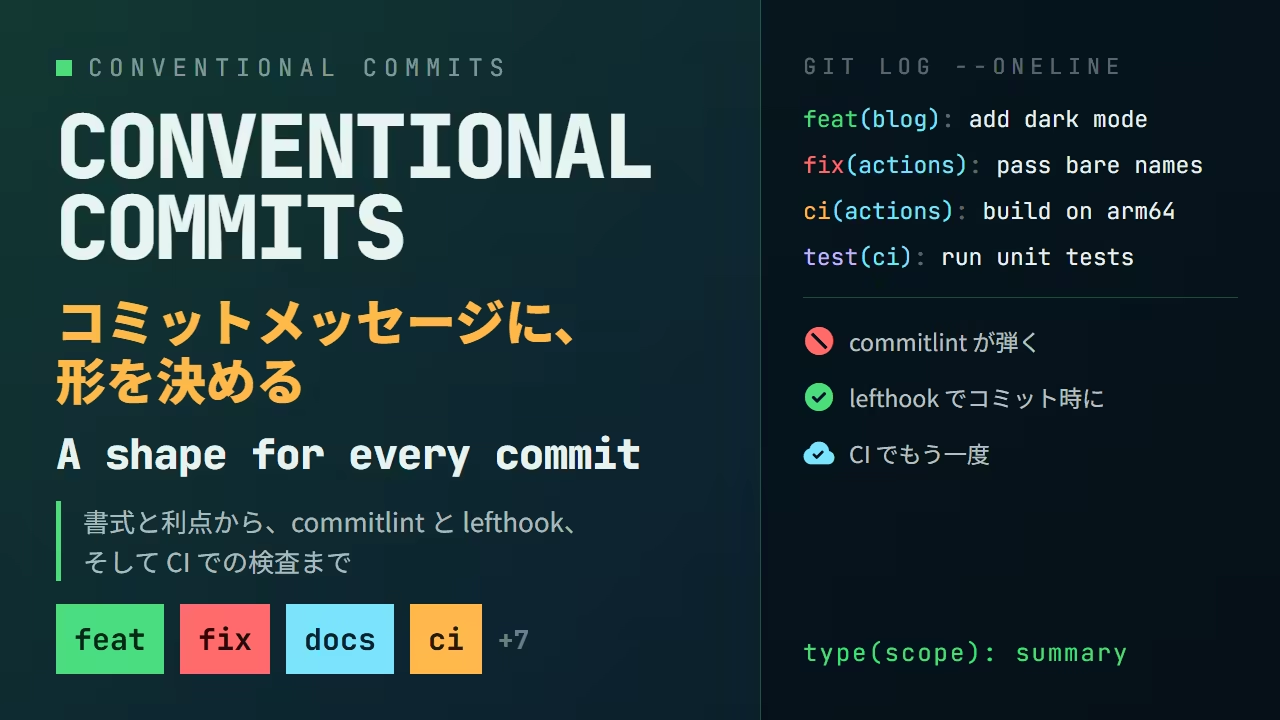
What Conventional Commits is
Conventional Commits is a convention for the first line of a commit message. There is very little to it: the first line takes this shape.
<type>(<scope>): <summary>This blog's repository writes its commits this way. git log --oneline for the last eight
commits looks like this.
❯ git log --oneline -8
98040a1 build(docker): follow the stable Dockerfile syntax channel (#1260)
a20cc78 test(ci): run the unit tests on every change (#1259)
d700e68 fix(actions): give the cache cleanup the permission it needs (#1257)
8abf64f ci(actions): install bun through mise, as everything else does (#1258)
0d5789d fix(actions): pass bare image names to the reusable workflow (#1256)
347c78c ci(actions): build the image with Docker GitHub Builder (#1255)
6fcfac0 ci(actions): build the Lambda image on a native arm64 runner (#1253)
66a7ae6 style(css): cap a code block at seven tenths of the viewport (#1251)Every line has the shape kind(where): summary. The leading build or fix tells you what kind
of change a commit is without reading it, and the parentheses tell you where it landed.
The convention comes from the Angular commit message guidelines. The Angular team had settled on a format for their own use; Conventional Commits lifted it out so that any project could adopt it, and pinned it down as a specification. The current version of the spec is v1.0.0.
The format
A whole commit message has three parts: a header, a body and a footer. Only the header is required.
<type>(<scope>): <summary>
<blank line>
<body>
<blank line>
<footer>
type
The kind of change. The specification itself defines only two, feat and fix; everything else
is up to the project. In practice, though, most projects use the list that commitlint's
config-conventional ships with, as is.
| type | Meaning |
|---|---|
feat | A new feature |
fix | A bug fix |
docs | Documentation only |
style | Changes that do not affect behaviour (whitespace, formatting, semicolons) |
refactor | A code change that neither fixes a bug nor adds a feature |
perf | A change that improves performance |
test | Adding or correcting tests |
build | Changes to the build system or external dependencies |
ci | Changes to CI configuration and scripts |
chore | Other maintenance, with no production code change |
revert | Reverting an earlier commit |
feat and fix are the two the spec pins down because they are the two that map onto SemVer,
which comes up below.
scope
What part of the project changed. It is optional. Nothing dictates what goes here — a package
name, a directory, a feature — whatever unit answers "where" for that project. This blog uses
blog, mdx, css, actions, docker and so on.
summary
A short description of the change. Imperative, present tense, lowercase first letter, no trailing
period. Writing "what applying this commit does" rather than "what I did" produces the imperative
naturally: fix the login button, not fixed the login button.
body and footer
The body says why. What changed is in the diff, so the body holds what the diff cannot: the motivation, and how the previous behaviour compares to the new one.
The footer holds breaking-change declarations and issue references. A line starting with
BREAKING CHANGE: marks the commit as containing one.
feat(api)!: drop the v1 endpoints

BREAKING CHANGE: /v1/* is gone. Move to /v2/*, which returns the same
shape with ids as strings.
The ! after the type is the other breaking-change marker. Either one on its own is valid, but
the ! is for whoever reads only the first line and the footer is where the migration goes, so
writing both is the kind thing to do.
What it buys you
The history can be filtered
With the first line in a fixed shape, git log --grep can pull out one kind of commit. Here are
just the bug fixes in this blog's repository.
❯ git log --oneline --grep='^fix(' -6
d700e68 fix(actions): give the cache cleanup the permission it needs (#1257)
0d5789d fix(actions): pass bare image names to the reusable workflow (#1256)
45595e5 fix(actions): turn off the colour commitlint writes into the comment (#1247)
a06ac7b fix(blog): place the index panel from the left, where the scrollbar is not (#1244)
fd583b8 fix(mdx): give each render its own heading id counter (#1235)
70866dc fix(blog): keep the desktop tabs at the right edge of the header (#1221)Include the scope and you get, say, only the features added to the blog itself.
❯ git log --oneline --grep='^feat(blog)' -5
ad390e5 feat(blog): add the Oh My Posh introduction (#1250)
ff487b5 feat(blog): fill the bento grid with five posts (#1240)
cd7f7b8 feat(blog): add the Sapling introduction (#1237)
5e7e11c feat(blog): open every post image at full size on click (#1236)
e87fd51 feat(blog): add the Jujutsu introduction (#1234)"What did we fix recently" and "when did this feature go in" are answered from the history alone, without walking diffs.
The CHANGELOG writes itself
Because type and scope are machine-readable, release notes can be generated from the history.
Here is git-cliff pointed at this blog's repository with no
configuration file at all. --unreleased restricts it to the commits after the latest tag.
❯ git cliff --unreleased --strip all
## [unreleased]

### 🚀 Features

- *(seo)* Give the locale subpages their own titles (#1151)
- *(seo)* Give each locale page its own description (#1154)
...
- *(blog)* Add the Sapling introduction (#1237)
- *(blog)* Fill the bento grid with five posts (#1240)
- *(blog)* Add the Oh My Posh introduction (#1250)

### 🐛 Bug Fixes

- *(common)* Align the manifest colours and name with the site (#1160)
- *(blog)* Declare the post route as one that blocks (#1166)
...
- *(actions)* Give the cache cleanup the permission it needs (#1257)

### 📚 Documentation

- *(common)* Remove explanatory code comments (#1148)
...
- *(blog)* Repair the details that made the posts contradict themselves (#1241)

### ⚡ Performance

- *(common)* Cut the default thumbnail to 7KB and cache what is served (#1184)
- *(css)* Stop shipping 871KB of font declarations on every page (#1185)
...One heading per type, the scope in front of each entry, the first letter of each summary capitalised. The only thing anyone wrote was the commit messages; nothing was prepared for this Markdown.
The version comes from the history
Conventional Commits lines up with Semantic Versioning.
| Commit | Bump |
|---|---|
fix | Patch (1.2.3 → 1.2.4) |
feat | Minor (1.2.3 → 1.3.0) |
BREAKING CHANGE or ! | Major (1.2.3 → 2.0.0) |
Here it is happening. In a small repository, one feat and one fix were stacked on top of a
v1.2.3 tag. The build(git) between them is the commit that sets up commitlint and lefthook
later in this article.
❯ git log --oneline
a2dda38 fix(api): return 404 for an unknown id
c5e0a22 feat(api): add a search endpoint
9568ccc build(git): check commit messages with commitlint through lefthook
667aefe chore: initial commitgit cliff --bumped-version computes the next version from the commits since the tag and prints
it.
❯ git cliff --bumped-version
v1.3.0There is a feat, so the minor goes up: v1.3.0. Now add the breaking-change commit from
earlier.
❯ git log --oneline -1
c3bfba0 feat(api)!: drop the v1 endpoints
❯ git cliff --bumped-version
v2.0.0The ! bumps the major: v2.0.0. The CHANGELOG side marks that one commit too.
❯ git cliff --unreleased --strip all
## [unreleased]

### 🚀 Features

- *(api)* Add a search endpoint
- *(api)* [**breaking**] Drop the v1 endpoints

### 🐛 Bug Fixes

- *(api)* Return 404 for an unknown id

### 💼 Other

- *(git)* Check commit messages with commitlint through lefthookNobody has to decide what number comes next. semantic-release and release-please take this computation, the tagging and the publishing, and run the whole thing from CI.
Here is that same history, to rearrange. Take a commit out of the release and both the version and the changelog follow.
Press a commit to take it in or out of the release. One breaking change is all it takes.
Commits since the tag
Next version
1.2.3 → 1.3.0
because there is a feat
CHANGELOG
🚀 Features
*(api)* Add a search endpoint
🐛 Bug Fixes
*(api)* Return 404 for an unknown id
💼 Other
*(git)* Check commit messages with commitlint through lefthook
1.3.0 — because there is a feat
Writing gets easier too
It may sound backwards, but a fixed format makes writing the message easier, because you are filling in blanks.
Choosing the type is also the moment you find out whether the commit is one kind of change. If
you want to write both feat and fix, that is the signal to split it in two. The convention
pushes commits towards a consistent size.
Checking with commitlint
A convention is only worth having if it is followed. Rather than checking by eye, hand the message to commitlint.
bun add -d @commitlint/cli @commitlint/config-conventional@commitlint/config-conventional is the rule set for Conventional Commits. The configuration file
is one line that extends it.
export default {
  extends: ["@commitlint/config-conventional"],
}
Piping a message into it on standard input runs the check. Here is a message that does not follow the convention.
❯ echo "update stuff" | bun commitlint --verbose
⧗   --- input ---
update stuff
✖   subject may not be empty [subject-empty]
✖   type may not be empty [type-empty]

✖   found 2 problems, 0 warnings
ⓘ Get help: https://github.com/conventional-changelog/commitlint/#what-is-commitlintTwo problems: no type, and with no : either there is no subject to extract. The name in
brackets is the rule, and each one can be relaxed or tightened individually in the config.
Here is a message that is closer, but not there.
❯ echo "Fix: Login Button." | bun commitlint --verbose
⧗   --- input ---
Fix: Login Button.
✖   subject must not be sentence-case [subject-case]
✖   subject may not end with full stop [subject-full-stop]
✖   type must be lower-case [type-case]
✖   type must be one of [build, chore, ci, docs, feat, fix, perf, refactor, revert, style, test] [type-enum]

✖   found 4 problems, 0 warnings
ⓘ Get help: https://github.com/conventional-changelog/commitlint/#what-is-commitlintFour: capitalised subject, trailing period, capitalised type, type not in the list. The list from
the table earlier is right there in the type-enum rule.
A message that follows the convention comes back clean.
❯ echo "fix(auth): keep the session alive across a token refresh" | bun commitlint --verbose
⧗   --- input ---
fix(auth): keep the session alive across a token refresh
✔ found 0 problems, 0 warningsYou can try it here before installing commitlint. It is the rules that look at the first line, ported to run in the browser, and the output is what commitlint prints in a terminal.
Edit the message and it is checked as you type. The buttons load the three messages above.
4 problems. The name in brackets is the rule
Checking at commit time with lefthook
On its own, commitlint only runs when you pipe something into it. Wired to Git's commit-msg
hook, it runs on every git commit. lefthook manages the hooks: a single
Go binary, installed through mise.
mise use lefthookThe configuration goes in lefthook.yml: the hook's name, and the command to run in it.
commit-msg:
  jobs:
    - run: bun commitlint --edit {1}
The commit-msg hook receives the path of a temporary file holding the message as its argument.
lefthook expands that into {1}, and commitlint's --edit reads the file and checks it.
lefthook install writes the configuration into .git/hooks/.
❯ lefthook install
sync hooks: ✔️(commit-msg)
❯ ls .git/hooks
commit-msg
prepare-commit-msg.git/hooks/commit-msg is a short shell script that only calls lefthook; the substance stays in
lefthook.yml. .git/ is not part of a clone, so whoever clones the repository runs
lefthook install once themselves.
Now git commit enforces the convention. Try committing with a message that does not follow it.
❯ git commit -m "add lefthook"
╭───────────────────────────────────────╮
│ lefthook  v2.1.14   hook:  commit-msg │
╰───────────────────────────────────────╯
┃  bun commitlint --edit {1} ❯
⧗   --- input ---
add lefthook
✖   subject may not be empty [subject-empty]
✖   type may not be empty [type-empty]

✖   found 2 problems, 0 warnings
ⓘ   Get help: https://github.com/conventional-changelog/commitlint/#what-is-commitlint


exit status 1
  ────────────────────────────────────
summary: (done in 1.16 seconds)
✗ bun commitlint --edit {1} (1.16 seconds)lefthook draws a frame naming the hook, commitlint's findings follow, and the job's result closes
it with a ✗. No commit is created. Fix the message and try again.
❯ git commit -m "build(git): check commit messages with commitlint through lefthook"
╭───────────────────────────────────────╮
│ lefthook  v2.1.14   hook:  commit-msg │
╰───────────────────────────────────────╯
┃  bun commitlint --edit {1} ❯

  ────────────────────────────────────
summary: (done in 1.21 seconds)
✓ bun commitlint --edit {1} (1.21 seconds)
[main 9568ccc] build(git): check commit messages with commitlint through lefthook
 6 files changed, 216 insertions(+), 1 deletion(-)
 create mode 100644 .gitignore
 create mode 100644 bun.lock
 create mode 100644 commitlint.config.ts
 create mode 100644 lefthook.yml
create mode 100644 mise.tomlThis time it goes through. The bun.lock, commitlint.config.ts, lefthook.yml and mise.toml in the list are
exactly what this article has been building in that repository.
A hook is not the last line of defence
A hook runs on the developer's machine, and there are two ways around it.
The first is --no-verify, a standard Git option that skips the hooks.
❯ git commit --no-verify -m "wip"
[main 2d2ac02] wip
1 file changed, 1 insertion(+)The same shape of message that was rejected a moment ago went straight in. It is an escape hatch for emergencies, and being an escape hatch, it gets used.
The second is committing with something other than Git. This blog's repository is managed with Jujutsu. jj works on the Git repository directly, but it does not run Git hooks. Open the repository lefthook was just set up in with jj as well, and commit with the same message.
❯ jj git init --colocate
Done importing changes from the underlying Git repo.
Initialized repo in "."
❯ jj commit -m "add lefthook"
Working copy  (@) now at: mxplotnk ee678aab (empty) (no description set)
Parent commit (@-) : xorxynkl b4f0beae add lefthookCommitted, with nothing checked. .git/hooks/commit-msg is still there, so from Git's side the
setup is intact — but Git is not what is creating the commit, so there is no point at which a hook
would be called.
That is why this repository does not use lefthook. Instead of checking locally, it checks in CI.
Checking in CI
A GitHub Actions workflow runs commitlint over the pull request title and every commit in the pull
request. Unlike a hook, it does not matter which tool made the commit or whether --no-verify was
passed. It runs somewhere every change must pass through before it merges, which makes it the real
line of defence.
on:
  pull_request_target:
    types: [opened, edited, reopened, synchronize]

jobs:
  commitlint:
    runs-on: ubuntu-latest
    steps:
      - uses: oven-sh/setup-bun@v2
      - run: bun add -d @commitlint/cli @commitlint/config-conventional
      - run: |
          echo 'export default { extends: ["@commitlint/config-conventional"] }' \
            > commitlint.config.ts

      - name: Validate the pull request title
        env:
          TITLE: ${{ github.event.pull_request.title }}
        run: printf '%s\n' "$TITLE" | bun commitlint --verbose

      - name: Validate the pull request commits
        env:
          GH_TOKEN: ${{ github.token }}
          PR_NUMBER: ${{ github.event.pull_request.number }}
          REPO: ${{ github.repository }}
        run: |
          while read -r message; do
            printf '%s' "$message" | base64 -d | bun commitlint --verbose
          done < <(gh api --paginate "repos/$REPO/pulls/$PR_NUMBER/commits" \
            --jq '.[].commit.message | @base64')
This is an excerpt of the real workflow. What it does is the same bun commitlint this article has
been typing at a terminal, with the input swapped for the pull request title and the commit messages
fetched through gh api. A commit message spans several lines once it has a body, so each one is
folded to a single line with @base64 for read to loop over, and unfolded just before the check.
The title is checked because this repository merges with squash merge. Under squash merge, the
message of the commit that lands on main is the pull request title, so checking the individual
commits alone would not protect the history of main.
The real workflow goes on to post commitlint's output on the pull request as a comment when the check fails, and to rewrite that comment to a ✅ once it passes. The whole file is in the repository.
Summary
- Conventional Commits puts the first line of a commit in the shape
type(scope): summary featandfixare defined by the spec and map to SemVer's minor and patch;!orBREAKING CHANGE:means major- With the shape fixed,
git log --grepfilters the history, and the CHANGELOG and the next version fall out of it automatically - commitlint checks a message; wired to lefthook's
commit-msghook, it runs on everygit commit - A hook can be skipped with
--no-verifyor by a non-Git tool such as jj. Checking the pull request title and commits in CI is the real line of defence
The convention itself is nothing more than a one-line format. What matters is that a machine can read it. From the moment the shape is consistent, the history stops being something only people read and becomes data that tools can use.