Managing Environment Variables with mise
◢ This post is also available in: 日本語
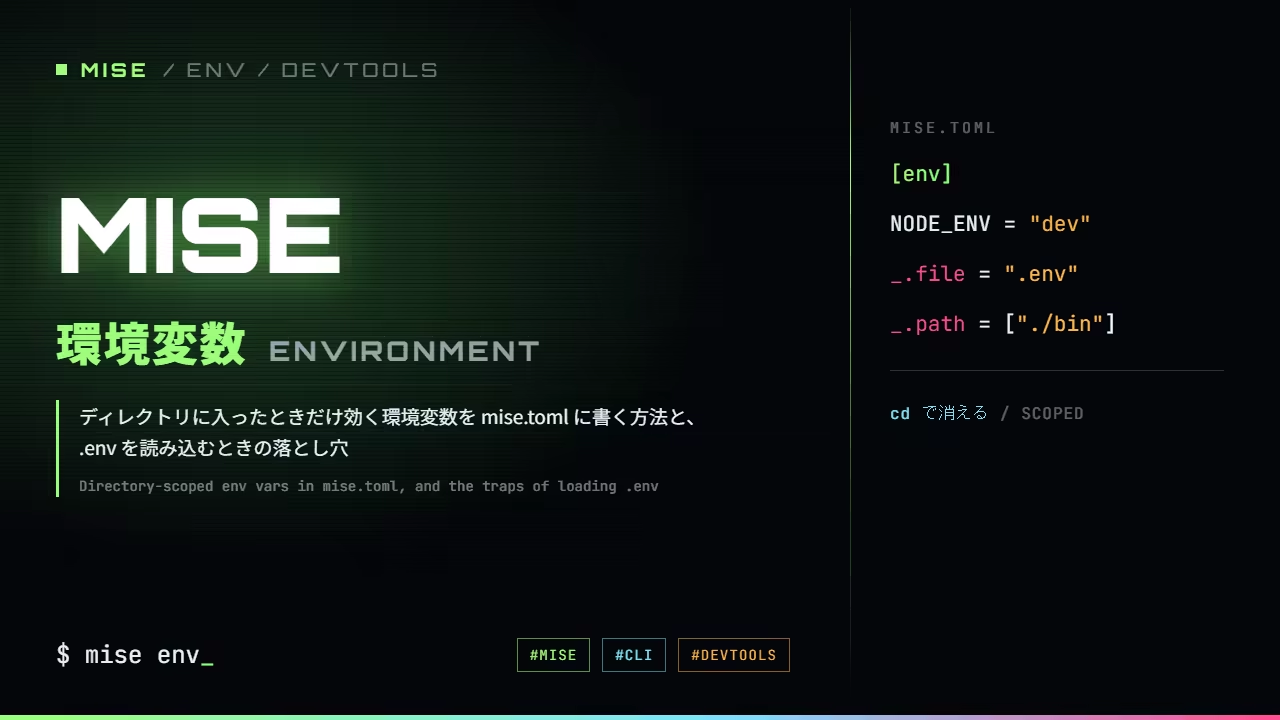
What it means to let mise hold your environment
[env] in mise defines environment variables that are in effect only
while you are inside that directory.
Getting started with mise put it this way for tool versions:
the setting belongs to the directory rather than to the person who typed it. Environment variables
are the same. An export only affects the shell it was typed in, never reaches whoever forgot to
type it, and follows around whoever typed it and forgot.
Writing [env]
It goes in mise.toml.
[env]
NODE_ENV = "development"
APP_NAME = "envdemo"
mise env shows what is currently set.
❯ mise env
export APP_NAME=envdemo
export NODE_ENV=developmentThis command works even without activating your shell, which makes it the place to start when something you thought you had set is not taking effect.
Leave the directory and it is gone
This is where it differs from export.
❯ cd envdemo
❯ mise env
export APP_NAME=envdemo
export NODE_ENV=development
❯ cd ..
❯ mise envOutside the directory, the same command returns nothing.
The moment you move to another project, the previous project's values are gone. Being guaranteed
not to carry them out with you is the biggest advantage over export.
Loading a .env
If you already use a .env, _.file reads it.
[env]
_.file = ".env"
The contents become environment variables as they are.
❯ mise env
export API_KEY=from-dotenv
export DATABASE_URL='postgres://localhost:5432/dev'This lets you keep .env in .gitignore and commit only mise.toml — sharing where the values are
read from rather than the values themselves.
When the same key appears twice, the later line wins
If a key exists both as a direct entry in [env] and inside the file _.file names, the order
you wrote them in decides. That is behaviour you cannot know without measuring it, so here it is
in both orders.
[env]
SHARED = "from-mise-toml"
_.file = ".env"❯ mise env
export SHARED=from-dotenvSwap the order and the result swaps with it.
[env]
_.file = ".env"
SHARED = "from-mise-toml"❯ mise env
export SHARED=from-mise-tomlSwap the two lines and the exported value swaps with them.
Inside [env]
- SHARED = "from-mise-toml"overwritten by a later line
- _.file = ".env".env holds SHARED=from-dotenvthis one stands
What mise env prints
from-dotenv
export SHARED=from-dotenv
So it is neither ".env always wins" nor "mise.toml always wins". Entries are applied top to
bottom, and a later one overwrites what came before it. If you want defaults in mise.toml that
individuals can override in their .env, put _.file last.
It will not read from a config file you have not trusted
The first time you put a config in a directory, you get told this.
❯ mise env
mise ERROR error parsing config file: .../envdemo/mise.toml
mise ERROR Config files in .../envdemo/mise.toml are not trusted.
Trust them with `mise trust`. See https://mise.jdx.dev/cli/trust.html for more information.
❯ mise trust
mise trusted .../envdemo
❯ mise env | grep APP_NAME
export APP_NAME=envdemoIt looks like a chore, but it makes sense. [env] is a feature for injecting arbitrary values
into your shell. It would be a problem if cloning a repository that contains a mise.toml and
stepping into it were enough to rewrite your PATH or plant variables that look like credentials.
Unlike a tool version, you cannot tell whether an environment variable is dangerous without reading
what is in it. Hence the explicit approval.
A trap I walked into — .env hiding the real credentials
This happened in the repository behind this blog.
I moved AWS authentication off long-lived access keys and onto
IAM Identity Center (SSO).
The aws command kept saying this.
 IAM Identity Center
Profile 'default' is already configured with Access Key credentials.The cause was an old pair of lines still sitting in .env.
AWS_ACCESS_KEY_ID=...
AWS_SECRET_ACCESS_KEY=...
Environment variables take priority over config files. Both the AWS CLI and the SDKs use keys
from the environment when they are there. However correctly you set things up with
aws configure sso, the old keys keep winning as long as you run inside that directory. And since
those keys are no longer valid, the error does not come out as "authentication failed" but as
"already configured" — a long way from the cause.
The awkward part is the shape of it: something you thought you had deleted is still in effect. No amount of re-reading the AWS side turns it up.
The fix, in this repository, was to stop having a .env at all. What the generated file was
meant to hold was three values for the local DynamoDB container — a region, an endpoint and a
table name — development defaults, none of them a secret; the AWS keys were lines that had
outlived their use and stayed behind in it. The three values live in [env] in mise.toml now.
[env]
AWS_REGION = "ap-northeast-1"
DYNAMODB_ENDPOINT = "{{ env.DYNAMODB_ENDPOINT | default(value='http://127.0.0.1:8000') }}"
DYNAMODB_TABLE_NAME = "blog-page-views"
With nothing to generate, a fresh clone has the values from the start, and there is no file for a
stale line to survive in. Anything that differs per machine goes in mise.local.toml, which is not
committed. AWS credentials sit in neither a variable nor a file: SSO locally, the execution role on
Lambda.
Adding to PATH with _.path
In the same place as your environment variables, you can add directories to PATH.
[env]
_.path = ["./bin"]
That directory's bin/ goes to the front of PATH, so project-specific scripts can be called by
name instead of by full path.
This too disappears when you leave the directory. Another project's bin/ will not slip in.
Giving each task different values
Everything so far is something .env can do as well. Being scoped to a directory is a real
difference, but as a way of holding values it is not far apart.
There is one more thing, and it comes from mise being a task runner: you can hand a task its own environment variables. A make target or a just recipe can do the same, so if you have used a task runner before this will look familiar.
[env]
NODE_ENV = "development"
DATABASE_URL = "postgres://localhost:5432/dev"

[tasks.dev]
run = "bun dev"

[tasks.test]
env = { NODE_ENV = "test", DATABASE_URL = "postgres://localhost:5432/test" }
run = "bun test"
mise run dev gets the values from [env] unchanged.
NODE_ENV=development DATABASE_URL=postgres://localhost:5432/devOnly mise run test runs with the test values.
NODE_ENV=test DATABASE_URL=postgres://localhost:5432/testA .env file holds one set of values, so doing this with .env alone means preparing a .env.test
and picking between the two in the command that starts the tests. A task's env is a place to write
that swap next to the task's definition.
A way to think about when to reach for which:
.env— values that differ per person and are not committed (API keys, local connection targets), paired with the discipline from the trap above: never leave a line you have stopped using[env]— defaults that are shared by the project and safe to commit- A task's
env— values you want swapped for the duration of one command
In closing
[env]applies only inside the directory. Not being carried out with you is the difference fromexport_.filereads an existing.env. For a shared key, the later line winsmise envtells you what is set right now- Do not leave retired credentials in
.env. Environment variables outrank config files, so a value you thought was gone keeps quietly winning - Tasks can carry their own
env. Other task runners have this too; it swaps values for the duration of one command
Environment variables are the kind of setting you only notice once something stops working. Tie them to a directory and at least "where is this in effect" is answered by reading a file.